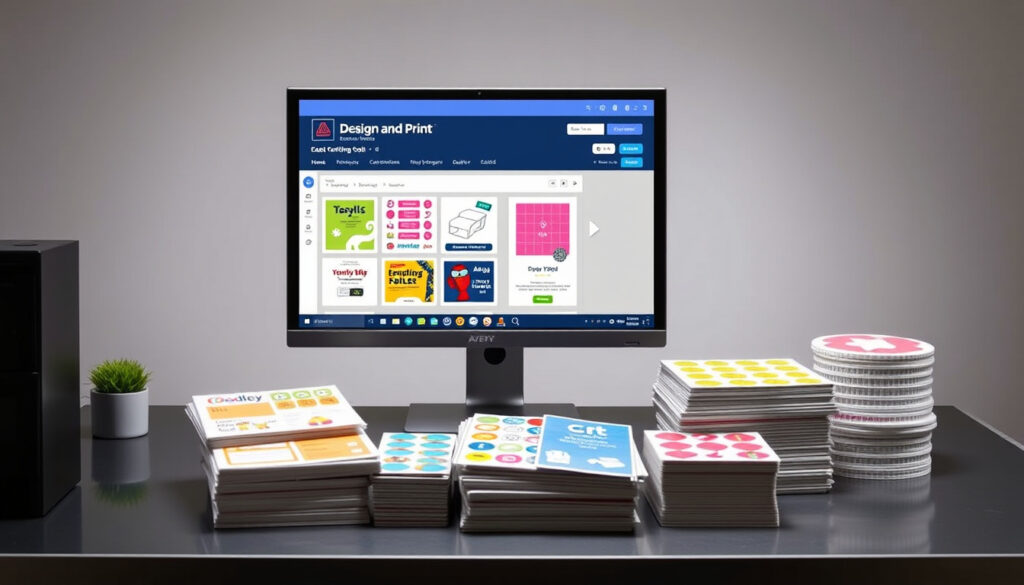
Avery Design and Print – Free Online Tool for Custom Labels
Avery Design & Print – Complete Guide to the Free Online Design Platform
Avery Design & Print is a free online design tool that allows users to create personalised labels, stickers, and cards directly through a web browser. Available at avery.co.uk for UK users, the platform offers access to thousands of templates without requiring any software installation. Whether you need address labels, product tags, event badges, or celebration cards, the tool provides everything necessary to design, preview, and print at home or order professionally printed copies.
Unlike traditional desktop publishing applications, Avery Design & Print operates entirely in the cloud. This means you can access your projects from any device with an internet connection, make edits on the go, and sync your work across multiple sessions. The platform supports both guest access for quick tasks and full account creation for those who want to save and manage their designs long-term.
How to Login to Avery Design & Print
Access thousands of free templates for labels, cards, and stickers across categories including birthdays, holidays, and weddings.
The software runs entirely in your browser—there is no downloadable desktop application to install on your computer.
Separate regional sites offer localised products, pricing, and delivery options tailored to each market.
Generate standard address labels, decorative cards, and even QR codes or barcodes for inventory and shipping purposes.
Creating an account unlocks additional functionality that casual users may not need. The sign-up process begins on the Design & Print homepage, where a blue “Sign Up” button opens a simple form requiring only an email address and password. Once registered, you gain access to cloud saving, the ability to edit projects from any device, and a dedicated “Apply from Saved Project” feature that streamlines repetitive tasks.
Logging in works equally straightforwardly. Click the “Login” button on the homepage, enter your credentials, and optionally check “Remember Me” to stay signed in across sessions. If you forget your password, a dedicated reset link sends recovery instructions to your registered email. Returning users can access all their saved designs through the “Open” button in the top-right corner of the application interface.
Users without an account can still access the platform through guest mode. Bookmarking avery.co.uk/software/design-print or using the direct shortcut at avery.com/dpo allows quick access without login. Guest sessions save projects locally as .avery files, which can be loaded back into the application later.
- Designs save to the cloud automatically when logged in, enabling cross-device editing
- Local .avery files allow offline storage and manual backup of projects
- The “Remember Me” option keeps sessions active for convenient repeated use
- Password recovery works entirely via email—no phone support required
- Guest access limitations include no cloud sync and restricted sharing features
- Account holders can export non-design files like spreadsheets from the My Account section
- All saved designs appear in a list for quick edit, apply, or deletion
| Attribute | Detail |
|---|---|
| Developer | Avery |
| Platform | Web browser (desktop, mobile, tablet) |
| Cost | Free software; blank sheets from £1 |
| Primary Use | Labels, cards, stickers, barcodes |
| UK Site | avery.co.uk |
| US Site | avery.com |
| Account Required | No (guest mode available) |
| Mobile Support | Yes (auto-detects screens under 7 inches) |
How to Download Avery Design & Print Software
One of the most important details to understand about Avery Design & Print is that no traditional download exists. The platform operates entirely through your web browser, meaning there is no installer file, no .exe setup, and no desktop application to add to your computer. This is a deliberate design choice that ensures you always have access to the latest version without manually updating software.
Understanding the Browser-Based Approach
Because everything runs online, your computer does not store any program files associated with Avery Design & Print. Instead, your browser connects to Avery’s servers, where the application loads and operates. This approach eliminates compatibility concerns between operating systems—both Windows and Mac users access identical features through their preferred browser.
To start using the platform, simply navigate to avery.co.uk/software/design-print. The page loads the full application interface, allowing you to search templates, customise designs, and prepare files for printing without any preparatory steps.
What You Actually Need to Install
The only downloads related to Avery Design & Print are the output files you create. When you finish a design, you generate a PDF that your printer can process. Avery sells blank label sheets compatible with common home printers, but you supply the printer and paper yourself. Alternatively, you can order professionally printed labels directly through the site with delivery within one to three business days in the UK.
Searching for “Avery Design & Print download” will not yield a traditional software installer. The platform has no standalone desktop app. All functionality exists online through the browser, making it accessible on any device with an internet connection.
Avery Design & Print UK: Access and Features
UK users access Avery Design & Print through avery.co.uk, which hosts the regional version of the platform. This site differs from its US counterpart at avery.com in several meaningful ways. The UK portal prioritises locally available products, displays pricing in British pounds, and offers delivery estimates calibrated for addresses within the United Kingdom.
Template Selection and Product Codes
The first step in any project involves selecting the correct template. Each Avery product package carries a software code consisting of four to five digits printed on the packaging. Entering this code on the Design & Print homepage automatically loads the precise template dimensions for that product, ensuring your designs align perfectly with the blank sheets you intend to use.
If you do not have the packaging, templates can also be searched by product category or keyword. The gallery includes options for address labels, shipping labels, product labels, name badges, event tickets, wedding invitations, and more. Each template category offers both blank versions for custom designs and pre-designed options that require only personalisation.
Regional Delivery and Ordering
Beyond design capabilities, the UK site facilitates ordering printed products. Blank label sheets start from as little as £1, while professionally printed custom designs begin at £12.24. Standard delivery takes one to three business days, with express options available for urgent requirements. This built-in ordering capability distinguishes the UK platform from many competing tools that focus solely on template provision without production and fulfilment services.
What is Avery Design & Print Software?
Avery Design & Print is a web-based application developed by Avery, a company long recognised for its label-making heritage. The software emerged from the company’s traditional business of providing pre-printed label templates, evolving into a comprehensive design platform that puts customisation directly in users’ hands. Rather than purchasing physical templates or paying for custom printing services, customers can now design their own labels using familiar drag-and-drop tools.
The software requires no design expertise to use effectively. Templates provide starting points that handle the technical aspects—accurate sizing, proper margins, print alignment—while users focus on content. Text entry, image uploads, font selection, and colour adjustments happen through intuitive controls that mirror standard document editors.
Core Capabilities
The platform supports several advanced features that extend beyond simple text entry. Mail merge functionality allows users to import data from spreadsheets, automatically populating label sets with names, addresses, or other variable information. QR codes and traditional barcodes generate on demand, useful for inventory management, product identification, or linking physical items to online content.
Image handling includes multiple input methods. Users can upload their own photographs, pull images from social media accounts connected to the platform, or browse Avery’s integrated clipart library. For those with existing design assets, artwork uploads enable incorporation of logos, brand elements, or pre-made graphics.
For batch label printing, prepare your data in a spreadsheet program first, then use the mail merge feature to import everything at once. This approach is significantly faster than entering information individually for each label.
Device Compatibility
The application adapts its interface based on the device accessing it. Desktop and tablet users receive the full feature set with expanded editing panels, while mobile users see a streamlined interface optimised for smaller touchscreens. The mobile version automatically activates when the browser detects a screen under seven inches in diagonal measurement.
Printing from mobile devices requires a workaround due to browser limitations. Most mobile browsers cannot send print commands directly to home printers, so the recommended approach involves emailing the generated PDF to a desktop computer and printing from there. Safari on iOS represents an exception, as it can handle direct printing to compatible AirPrint devices.
Using Avery Design & Print Online
The online workflow follows a consistent pattern regardless of the project type. Begin by accessing the application at avery.co.uk/software/design-print, then select or search for the appropriate template. Once the workspace loads, the editing tools become available along the edges of the screen.
Finding and Loading Templates
Template selection forms the foundation of every project. Users can enter product codes directly, browse by category, or search using keywords that describe their intended use. Categories include birthdays, holidays, weddings, business, home organisation, and crafts, with each category containing dozens of specific designs.
After loading a template, editing proceeds through a series of intuitive steps. Click any text element to modify it, drag images from the library panel into the design area, or use the property panels to adjust fonts, colours, and alignment. The interface supports standard shortcuts like copy and paste, and an undo/redo system allows reversal of unwanted changes.
Customisation Tools
The toolbar provides access to all customisation options. Text tools handle font selection, sizing, and formatting. Image tools manage uploads, library access, and placement. Shape tools add basic geometric elements, while barcode tools generate scannable codes tailored to specific standards.
For projects requiring data integration, the data merge panel connects with imported spreadsheets. Map spreadsheet columns to template fields, preview the results, and generate the complete label set in a single operation. This functionality proves particularly valuable for address labels, product catalogues, or any application requiring consistent information repeated across multiple items.
Before printing, always verify the scale setting is set to 100% or “Actual Size.” Altering this setting causes misalignment between your design and the label sheets, resulting in wasted materials and frustration.
How to Print Avery Designs at Home
Producing your creations on a home printer completes the design workflow. After finalising your design, click the save or export option to generate a PDF file. This file becomes the bridge between the online design tool and your physical output. Open the PDF in your computer’s default reader, verify the preview looks correct, and send it to your printer.
Printer and Paper Requirements
Avery label sheets come in standard A4 sizes compatible with most home printers. Before purchasing supplies, check your printer’s specifications to confirm it handles the sheet weight and dimensions. Inkjet printers generally produce vibrant colours suitable for decorative designs, while laser printers offer faster output and smudge-resistant text.
Blank sheet prices start affordably, making home printing economical for small to medium quantities. For those without a compatible printer or who need larger runs, ordering through the site provides professionally printed results delivered to your door.
The Printing Process Step by Step
- Complete your design in the online editor and click “Save” or “Export to PDF”
- Open the generated PDF file on your computer
- Load Avery label sheets into your printer’s paper tray
- Select “Print” and ensure the scale setting shows “100%” or “Actual Size”
- Preview the print output and adjust printer settings if needed
- Confirm the alignment matches your expectations on a test sheet
- Print the remaining sheets as required
A video tutorial available on YouTube demonstrates the complete workflow from template selection through final printing. The tutorial covers search techniques, customisation options, and practical tips for handling common issues like alignment problems or colour mismatches.
Understanding Avery Design & Print Availability
| What Is Confirmed | What Remains Unclear |
|---|---|
| The software is free to use for all customers | Specific release dates for major feature updates |
| Account creation enables cloud saving and cross-device access | Long-term roadmap for platform development |
| UK and US sites operate separately with distinct product catalogues | Whether additional regional sites will launch in future |
| Guest access works without registration through bookmarked URLs | Data retention policies for unsaved guest projects |
| The platform is entirely browser-based with no desktop app | Planned integration with third-party applications |
| Delivery times of 1-3 business days apply to UK orders | Specific product availability across different UK retailers |
The Evolution of Avery Design & Print
Avery has evolved considerably from its origins as a provider of pre-printed labels and physical template books. The company’s transition to digital tools reflects broader shifts in how consumers expect to interact with design software. Where previous generations purchased specialised template collections or hired graphic designers, today’s users can accomplish comparable results independently through browser-based applications.
The Design & Print platform represents Avery’s flagship digital offering, combining the company’s template expertise with modern web technologies. This evolution mirrors patterns seen across other design software categories, where cloud-based accessibility increasingly replaces traditional downloadable applications.
What Avery Says About Design & Print
“Create, design and print your labels” — Avery tagline as presented on official product pages.
Official messaging emphasises the accessibility and simplicity of the platform. Marketing materials highlight the free nature of the software, the breadth of the template library, and the convenience of home printing. Product descriptions focus on practical outcomes rather than technical specifications, aligning with the target audience’s desire for straightforward solutions to labelling challenges.
The platform’s official documentation reinforces these themes while providing detailed operational guidance. Help articles cover common tasks like account creation, template selection, and troubleshooting, serving as both onboarding materials and reference resources for established users.
Key Takeaways on Avery Design & Print
Avery Design & Print offers a practical free solution for anyone needing custom labels, cards, or stickers without investing in professional design software. The browser-based platform requires no downloads, works across devices, and provides thousands of templates suitable for home, office, or event use. UK users access the service through avery.co.uk with local pricing, product availability, and delivery options. While an account enhances the experience through cloud saving and advanced features, guest access accommodates casual users who prefer not to register. For those exploring related kitchen creativity, learning How to Make Icing complements the label-making skills gained here when planning celebration events requiring both decorated baked goods and matching personalised labels.
Frequently Asked Questions
Is Avery Design & Print actually free to use?
Yes, the software itself is free. Users pay only for physical label sheets if they choose to purchase blanks for home printing.
Can I use Avery Design & Print on my phone?
The platform works on mobile browsers, automatically adapting to smaller screens. Printing requires transferring the PDF to a desktop computer since most mobile browsers cannot communicate directly with printers.
Do I need an account to start designing?
No account is required initially. You can access the tool as a guest and save projects locally as .avery files. Creating an account enables cloud saving and additional features.
What information do I need to find the right template?
Having the product code from your Avery packaging helps most directly. Otherwise, you can search by keyword, category, or browse the template gallery to find dimensions that match your blank sheets.
How do I print from the platform?
Generate a PDF from your design, open it on a computer with a printer, load Avery label sheets, and print ensuring the scale is set to 100% or “Actual Size.”
Is there a downloadable desktop version?
No standalone desktop application exists. All functionality runs through the web browser at avery.co.uk or avery.com, ensuring you always use the current version without manual updates.
How long does UK delivery take?
Professionally printed orders through the UK site typically arrive within one to three business days after processing.
Can I import data from Excel for mail merge?
Yes, the platform supports importing spreadsheet data for mail merge operations, allowing batch population of labels with variable information like names and addresses.
More related posts
 Met Office UK Snow List – Yellow and Amber Warnings Explained
 Germany National Football Team: Players, History & Results
 Another Word for Support – Synonyms by Context
 Top Secret Comedy Club – London Locations Tickets Reviews Guide
 Gift Sets for Women – Value Picks From £15 to £150
 OJ Simpson: Death, Trial, and Legacy – What You Need to Know
 Night at the Museum: Age Rating, Sequels, Cast & Where to Watch
 Best Stocks and Shares ISA: Top UK Providers Compared